For Garmin Edge 1050 · Connect IQ data field
Ride new. Ride better.
A full-screen data field that turns your Edge into a race-grade cockpit. Pulse zones, sprint auto-detection, milestone callouts.
Scroll
↓
A full-screen data field that turns your Edge into a race-grade cockpit. Pulse zones, sprint auto-detection, milestone callouts.
Big. Bold. Always readable.
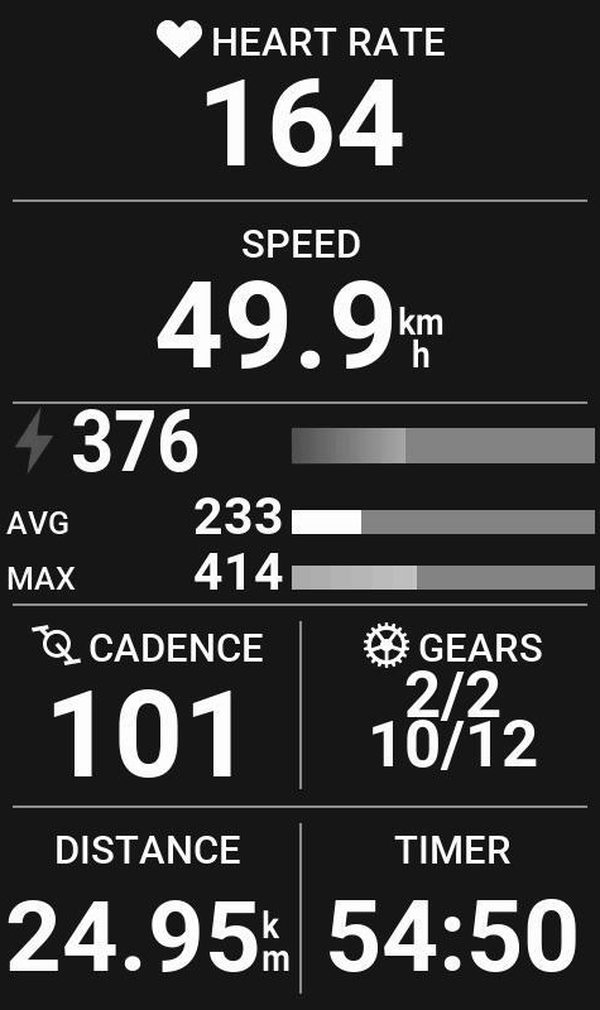
Oversized type, high-contrast layouts, racing-grade typography — every reading lands in a single glance, even at 60 km/h in midday glare.
Inspired by real motorsport dashboards.
Our camera couldn’t
hold a line.
The numbers held perfectly.
Location, temperature, wind, humidity. A greeting tuned to the conditions — before you clip in.
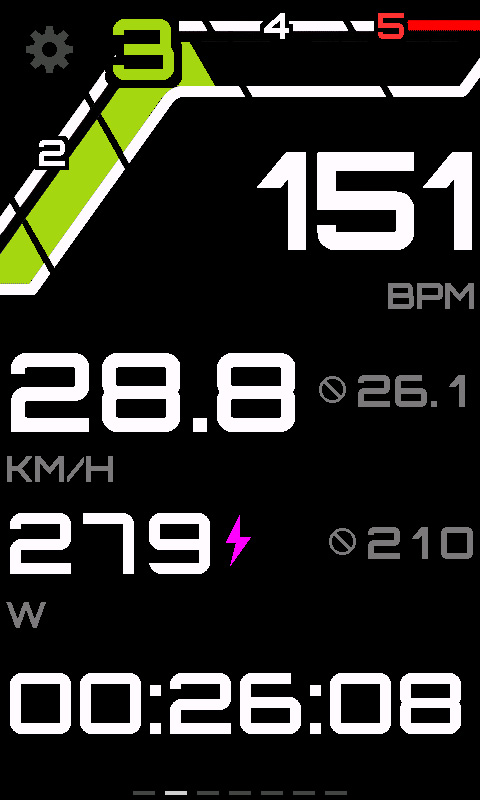
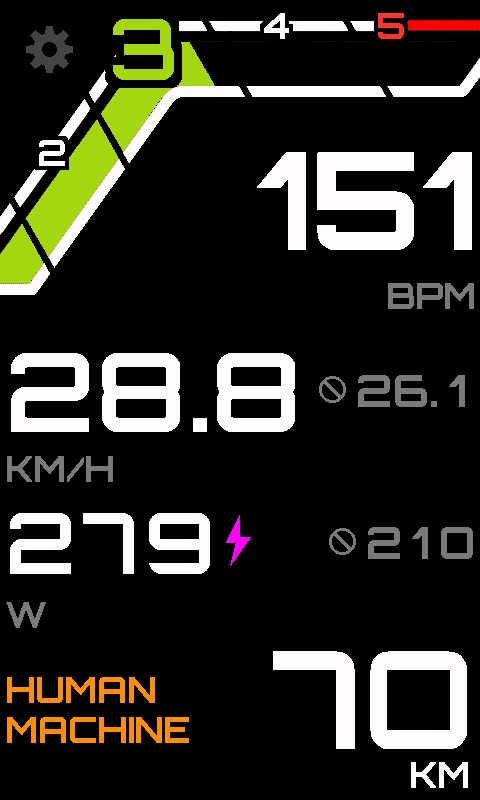
Pulse-zone arc, big HR, current/avg speed, current/avg power, cycling info slot at the bottom.
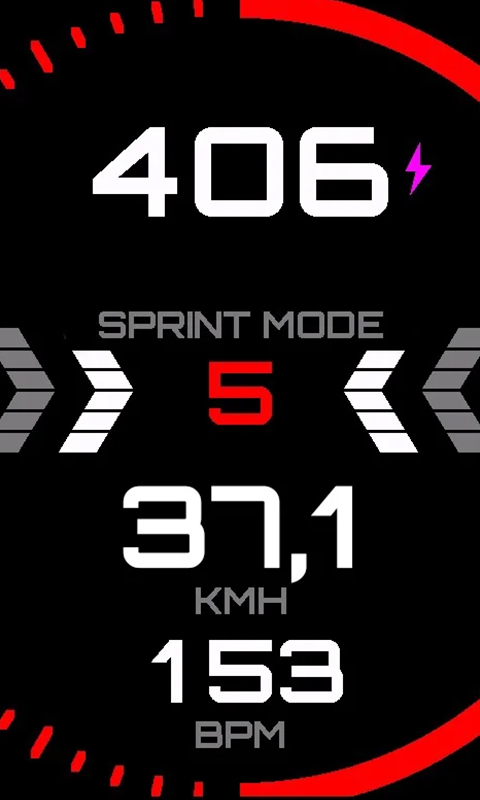
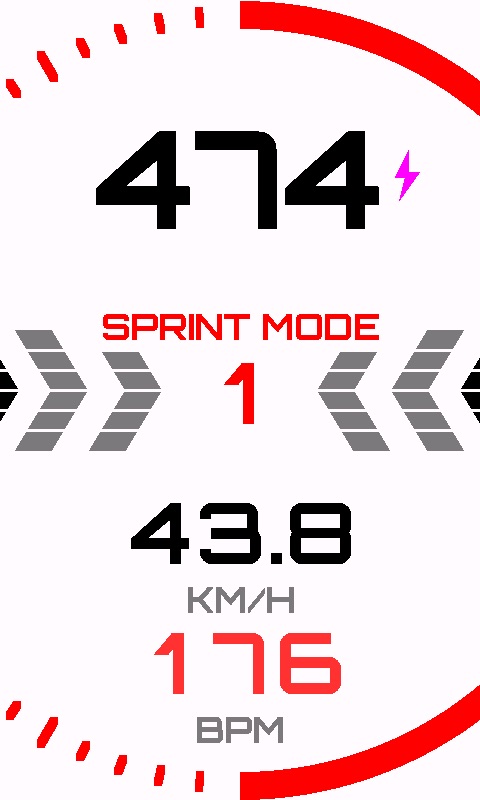
Five sensors agree, a red ring locks in. Big watts, sprint timer, peak tracker — for the next 60 seconds.
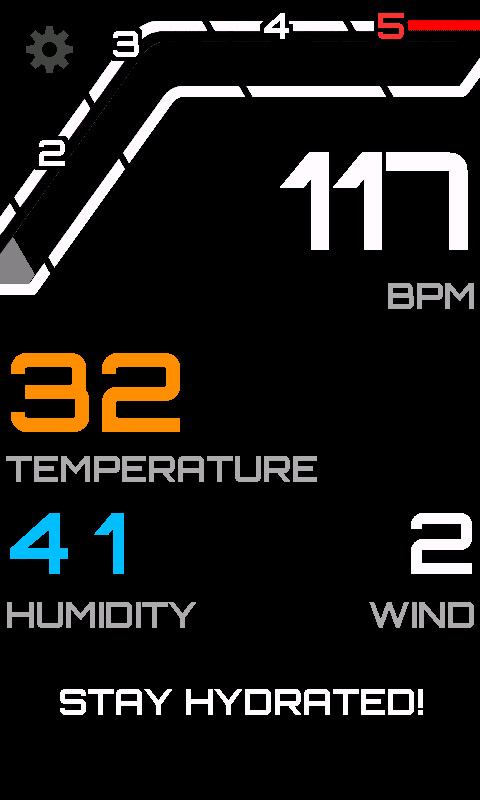
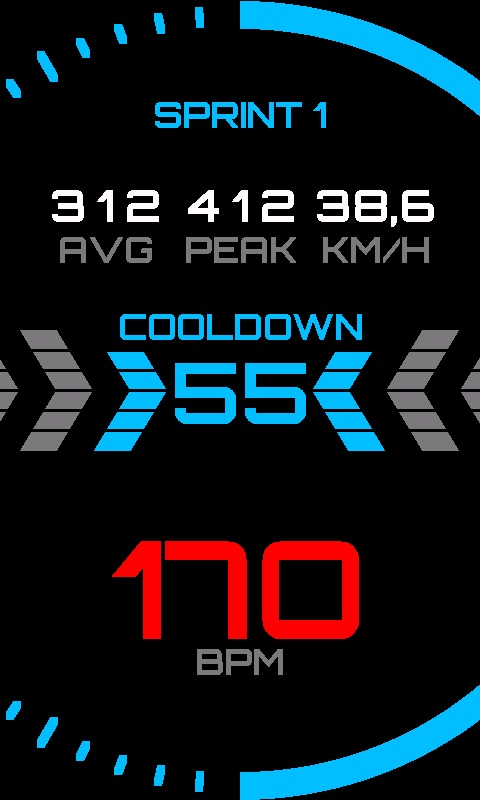
20 seconds of full-screen recovery: peak, avg, speed of the sprint that just ended. Tap to skip when your HR drops.
500 m out, chevrons start lighting up. Cross the line, and a motivational call appears for 10 seconds.
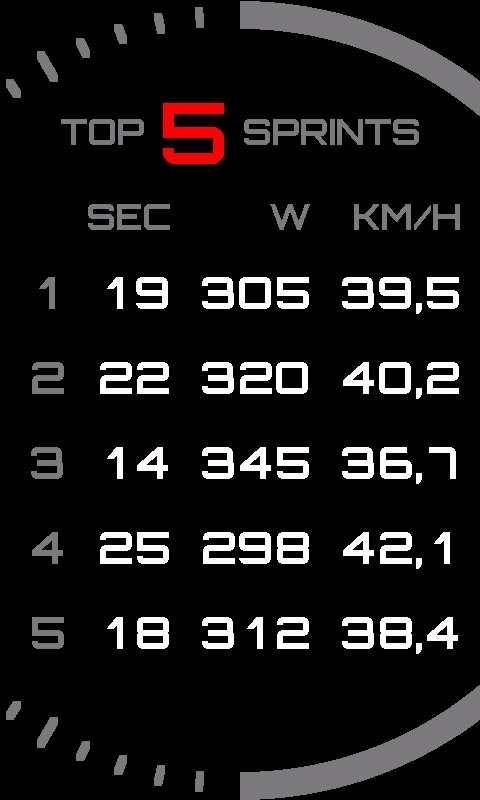
Hit pause and the UI switches to summary mode: how many sprints, sorted by peak power, with avg and top speed.
One data field. Six states. Each one designed to surface exactly the right information at exactly the right time.
Temperature, location, humidity, wind. A greeting picked from the conditions. Neutral gauge fill — no active zone yet.
Pulse-zone arc lights with the active zone. Big BPM with zone name (FLOW · AERO · THRESHOLD), speed + peak, power with lightning at full throttle, distance and cadence at a glance.
Full-screen sprint UI: red ring, 170pt watts, chevroned timer, peak / speed / HR mini-board.
20-second stat screen with avg / peak / km/h. Big HR in zone color. Skip the cooldown when your pulse drops below Z3.
"HALFWAY TO 60!", "KEEP PUSHING!", "NEW PR?" — context-aware motivational text triggered at the exact kilometer.
Hit pause, see your top five sprints ranked by peak watts. Time, avg power, peak power, peak speed — at a glance.
A single, unassuming line at the bottom of the screen rotates through everything else you need — tap to cycle, or let it auto-scroll while you focus on the road.
The slot rotates through your values hands-free — and Smart scroll brings up the one that matters the moment it does: your gears the instant you shift, wind the second it picks up. No tapping on the climb.
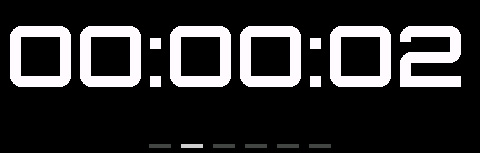
Live timer in HH:MM:SS — pauses when the activity pauses, picks up when you roll again.
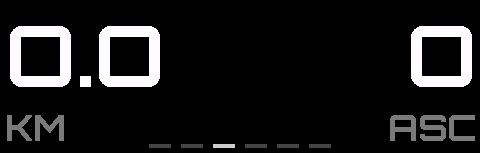
Live odometer in km or mi — also feeds the 10K milestone overlays for chevron progress and motivational callouts.
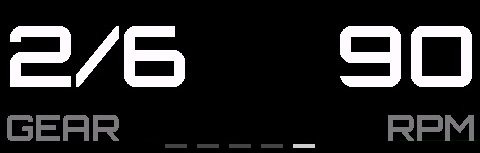
RPM next to your current front/rear gear pair (e.g. 2/2 · 10/12) — perfect for finding the right tempo on a long climb.
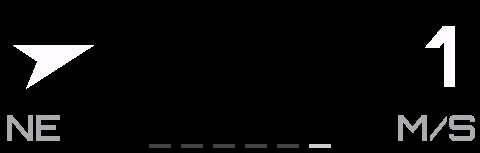
Real-time wind speed and direction from the Edge's weather API — know before you turn into the gust.

Reverse-lookup city and country from your GPS fix — plus temperature and elevation gain on the same strip.
When the sun is straight overhead and even the brightest dark UI starts to wash out, flip the field to its light counterpart. Less dramatic, still motorsport-clean — every number stays just as readable. Try it →
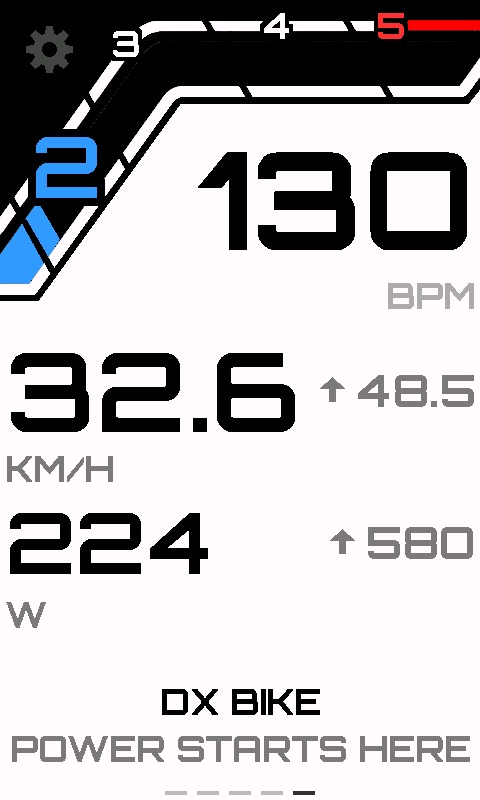
Same layout, inverted contrast. Gauge, big BPM, zone color and bottom slot all stay legible under direct sun.
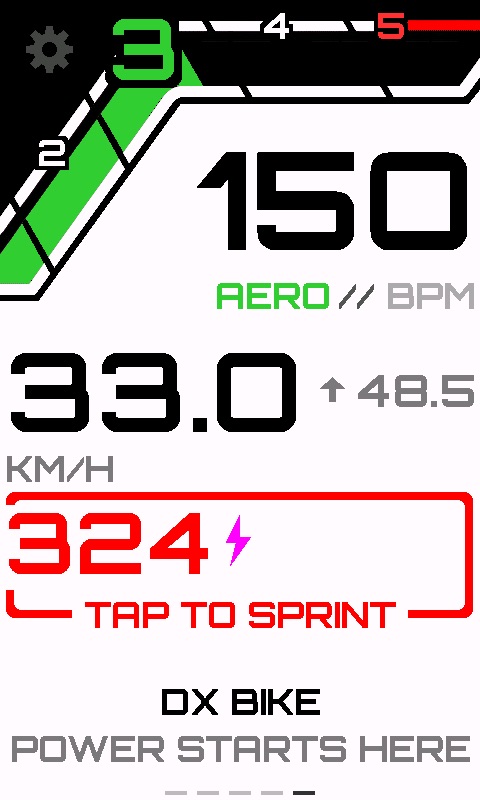
Tap targets get heavier outlines on the light theme so you don't miss them with a gloved hand on a hot day.
The sprint ring keeps its red lock — even on the light theme, the call-to-attention reads in a single glance.
Let the field flip itself — light during daylight, dark after sundown, using the Edge's GPS clock and your latitude. Or pin one mode for the entire ride.
We still recommend the dark theme by default — it's the design we tuned around, and contrast was engineered for it. Reach for the light mode only when the glare just won't quit.
Not every power spike is a sprint. Not every climb deserves the dashboard treatment. The detection algorithm watches five sensor streams at once — and only fires when it's real.
1.3 × FTP — a true acceleration, not steady-state.
1.5× the 25-second background — distinguishes an attack from a plateau.
> 28 km/h — rules out standing starts and traffic-light kicks.
≥ 3 km/h in the last 5 seconds — actually accelerating, not coasting.
≥ 80 rpm — separates a sprint from a low-cadence climb attack.
No menus. No coordinate logic. One global handler, five context-aware actions — so you keep both hands where they belong.
Heart-rate zones from Apple Health, Garmin, a % of your max HR — or set fully by hand.
Every core screen is built, tested in TEST_MODE and validated on the SDK simulator. Here's what's done — and what's next.
No subscription, no in-app upsells, no recurring billing — ever.
RS Gauges installs from the Connect IQ Store. Payment is offered only after your free trial ride.
Today: Garmin Edge 1050. We're targeting the Edge 1040 next — drop us a line at support@rsgauges.app if you want to be notified.
Your first ride is fully unlocked. As soon as that ride crosses 5 km, the trial is consumed — your next activity will show the activation screen. Rides under 5 km don't count, so accidental Start/Stop won't burn your trial.
A QR code shows on your Edge after the trial. Scan it with your phone, pay $14.99 once via Stripe (Apple Pay & Google Pay supported), and the field unlocks within seconds — no account, no subscription.
Only at activation. The license is verified offline on every boot using a signed token stored locally, so you can ride in the middle of nowhere without ever pinging our servers again.
Activation is bound to the device identifier in app storage, which a reinstall wipes. Email support and we'll reissue your license for free — keep the receipt Stripe sent you.
Yes. If RS Gauges isn't for you, email us within 30 days and we'll refund the full $14.99 — no questions asked.
No. RS Gauges is an independent Connect IQ data field built by Perfectum LLC-FZ. We use Garmin's public SDK and store, nothing more.
We only store a per-device UUID and your payment record. We never see your ride files, your GPS tracks, your power numbers, or anything else from the Edge.
Need something else? Email support@rsgauges.app.
Get a unique code, share it with your audience, get up to 25% of every paid activation. Wise or USDT, 30-day hold, $50 minimum payout.
Now live on the Connect IQ Store — install straight to your Edge 1050.